
Browse guides
Watch a play
Build a play
Keep and share work
Find and watch a drill
Filter volleyball drills by skill, experience, player count, time and equipment, then watch the setup in 3D.
Reviewed 2026-10-13 · Rufio Stats Markdown
Find one that fits
- Open Playbook > Drills for ball skills, or Conditioning for physical work.
- Choose the skill, experience level, number of players and time you have.
- Under Equipment I have, select what is available. The list keeps drills that need nothing more.
- Open a card to read the setup and coaching points. Preview shows the pattern.
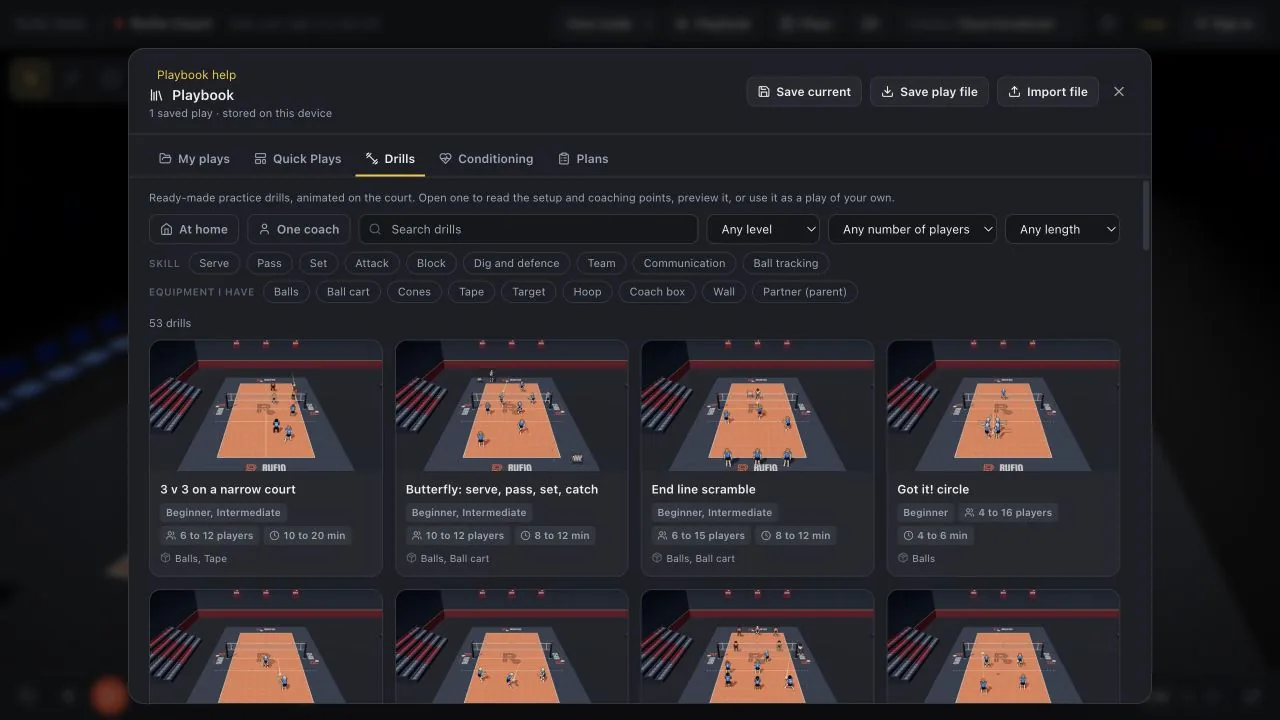
Drills and conditioning
The Playbook has two more tabs: Drills (serve, pass, set, attack, block, dig and defense, team) and Conditioning (warm-ups, footwork, jumping, strength, mobility). Every drill is animated on the court.
- Find one: search by title, pick a skill, a level, how many players you have, and how long you have. Under Equipment I have, pick what is in your gym: only drills that need nothing more are listed.
- Open a card to read the description, the setup, the coaching points, the equipment, and how long it takes. Preview plays the drill right there, on a loop.
- One round: a drill on the court plays its lead-in and one round of the pattern, then stops. Turn on Loop in the transport bar to repeat the round. How many rounds to do in practice is on the card.
- Use this drill saves your own copy to My plays and opens it on the court, ready to play, export, or share as a clip.
- Read them without opening Court: every drill also has its own page, with the setup and coaching points, at rufiostats.com/drills. Its Watch it in 3D button opens the drill here as a preview. Nothing is added to My plays unless you change it.
A play made from a drill shows a Drill button in the top bar, and Edit touches is off, because the drill builds the touches. To change it by hand, click Drill, then Edit as a normal play. The play keeps every player, ball, and caption, but it is no longer linked to the drill: rebuilding it from the drill would throw away your edits, so Rufio Court never does. For a fresh copy, use the drill again from the Playbook. Undo brings the link back.
Read the setup before running it
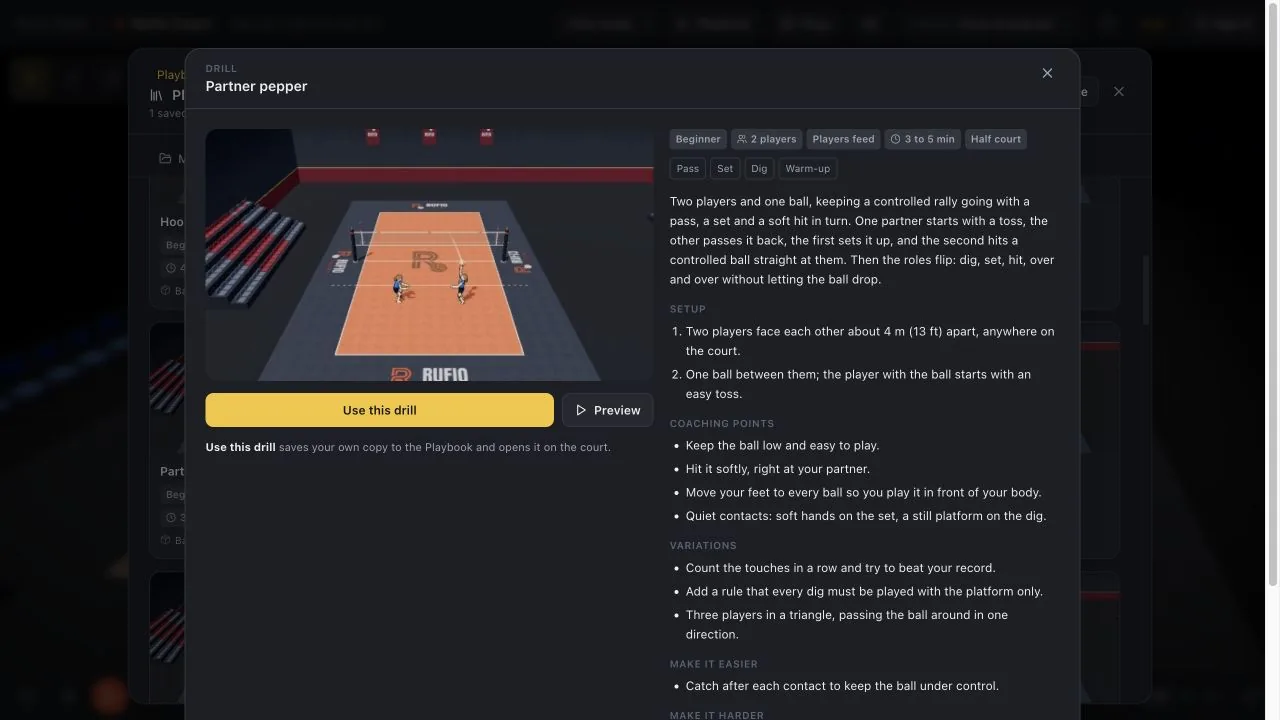
The public drill library has the same setups and coaching points without opening the 3D tool. Watch it in 3D opens a preview in Court. Conditioning and home drills include their safety notes; choose a drill that suits the player and space.
Related guides
Watch, pause and slow a play
Use playback, slow motion, the timeline and 2D or 3D views to explain a volleyball rally.
Use a practice plan
Open a built-in volleyball practice, watch its drills, print the schedule and run the practice timer.
Practice at home with your player
Run a 30-minute volleyball session with one child, one parent, a ball and a towel. The parent can toss and catch.