Browse guides
Watch a play
Build a play
Keep and share work
Quick Plays and formations
Choose a complete volleyball play or start from a formation and add your own touches.
Reviewed 2026-10-13 · Rufio Stats Markdown
Watch before editing
Open Plays in View mode and choose a play. Press Play this play to watch it. Choosing a play here opens a preview; browsing does not fill My plays with copies.
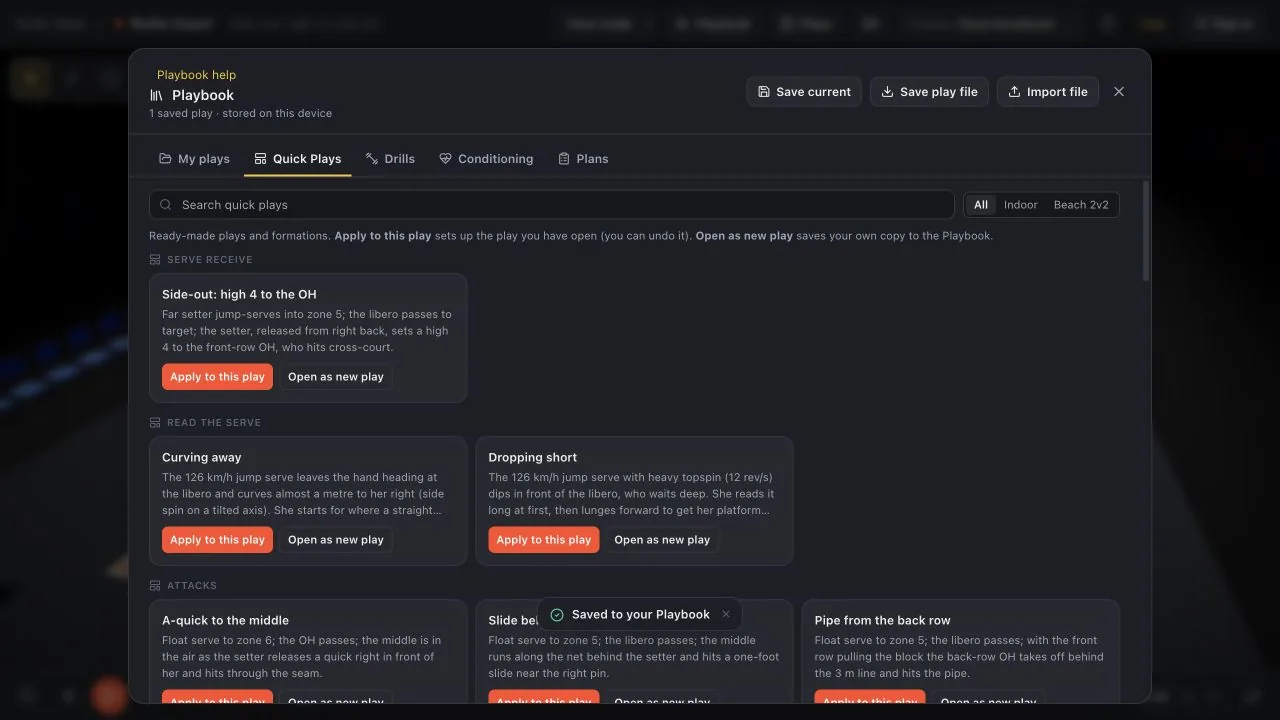
For the full collection, open Playbook > Quick Plays. The Indoor and Beach 2v2 choices separate the two court formats.
Quick Plays and formations
Tap New play (top bar) to start fresh. It asks what you want to begin with:
- Empty court: no players. Add them with N (near side) and Shift+N (far side) and key them by hand.
- Formation: players already in place, such as serve receive for each of the six rotations or base defense, with no touches yet. Then add the touches yourself.
- Quick play: a complete play: a side-out with a high 4, an A-quick, a slide, a pipe, a back-row D, or a dig into a transition 4.
Open the Playbook and pick the Quick Plays tab. Every card has two buttons. Apply to this play sets up the play you already have open, and team names, uniforms, and jersey numbers stay. Open as new play saves your own copy to the Playbook and opens it. Plays are grouped (serve receive, read the serve, attacks, defense and transition, first person, formation only), and you can search or filter to Indoor or Beach 2v2.
Signed into Court? Choose Stats rosters in the Playbook to see your Rufio Stats teams and active players. Start a play with their names, jersey numbers and positions, then apply a Quick Play to place them. This is free and takes a snapshot of the roster; later roster edits in Stats do not change plays already made.
Which starting point to use
A complete play already has its ball touches. A formation puts players in position and leaves the touches for you to build. Apply to this play uses the current roster; Open as new play makes a saved copy. Use Undo if an applied formation was not what you wanted.
Related guides
Watch, pause and slow a play
Use playback, slow motion, the timeline and 2D or 3D views to explain a volleyball rally.
Build and edit ball touches
Choose who serves, passes, sets and attacks, then change the ball target, speed, height and curve.
Players, lineups and formations
Move a player, add a player and apply a formation while keeping the current roster.