Browse guides
Rufio Stats
- Getting started
- People and roles
- Device settings
- Team tracking settings
- Beach doubles (beta)
- Live tracking
- Tracking together
- When the connection drops
- Drafts and merging
- Film review
- Game film
- Recording games
- Stream a game to Facebook
- Stream a game to YouTube
- Tournaments
- Stats and dashboards
- Dashboards
- RufioStats for college & club programs
- The Practice tab
Tracking together
Split a live match across two or three devices. Everything lands in one game.
How it works
One device is the scorekeeper. It holds the seat: score, serve, lineup, and every stat nobody else has claimed. Other devices join the live session and take specific stat groups. One tracker per stat, so nothing is counted twice.
The Statkeeper starts the game (see Live tracking). Everyone else opens the team and sees the game marked LIVE with a Join button.
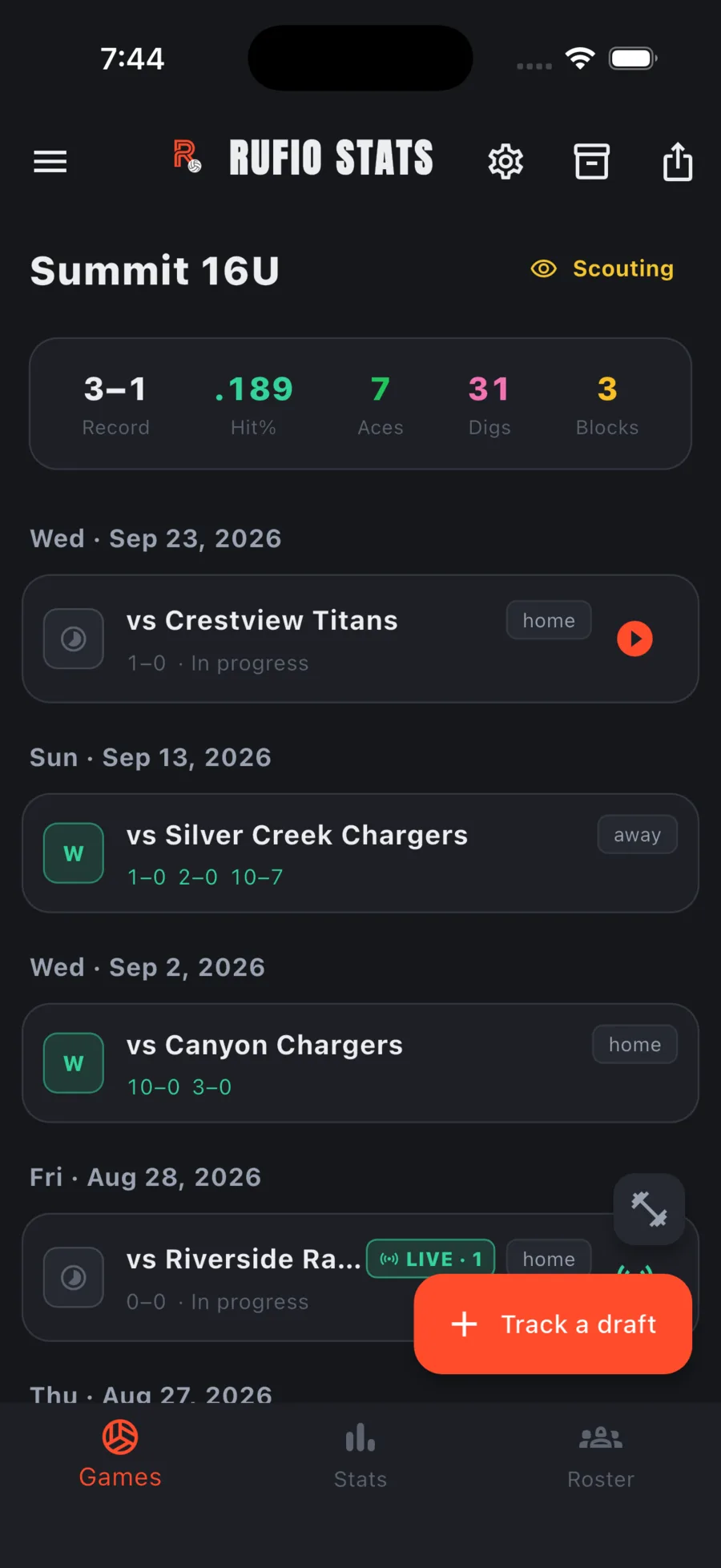
Joining a live game
- Tap the live game or its Join button.
- Pick Track stats or Coach view.
- Under Your stats, tap the groups you will cover. Each tile says whether it is Free, being Tracked by someone (they have it on screen, but it is not locked), or Claimed (theirs exclusively).
- Tap Join.
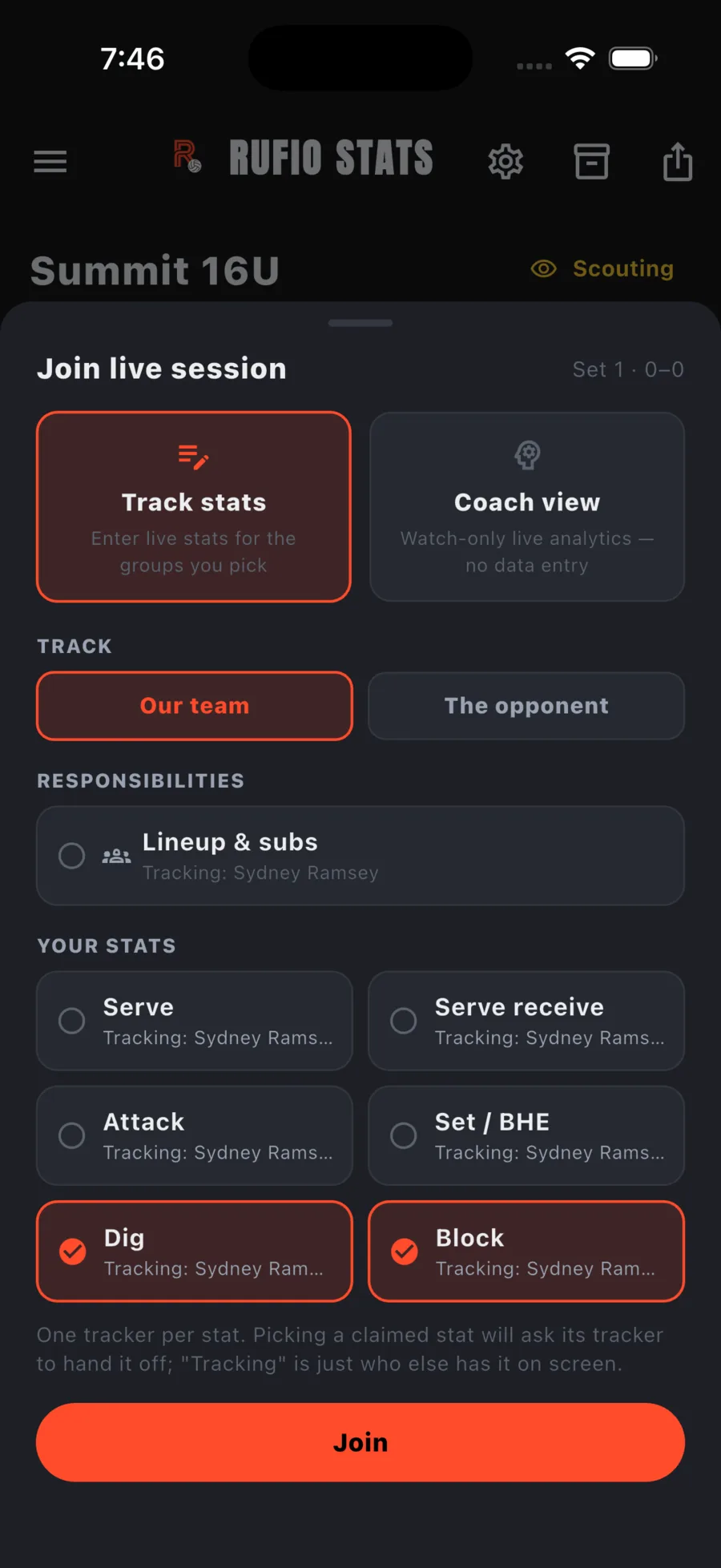
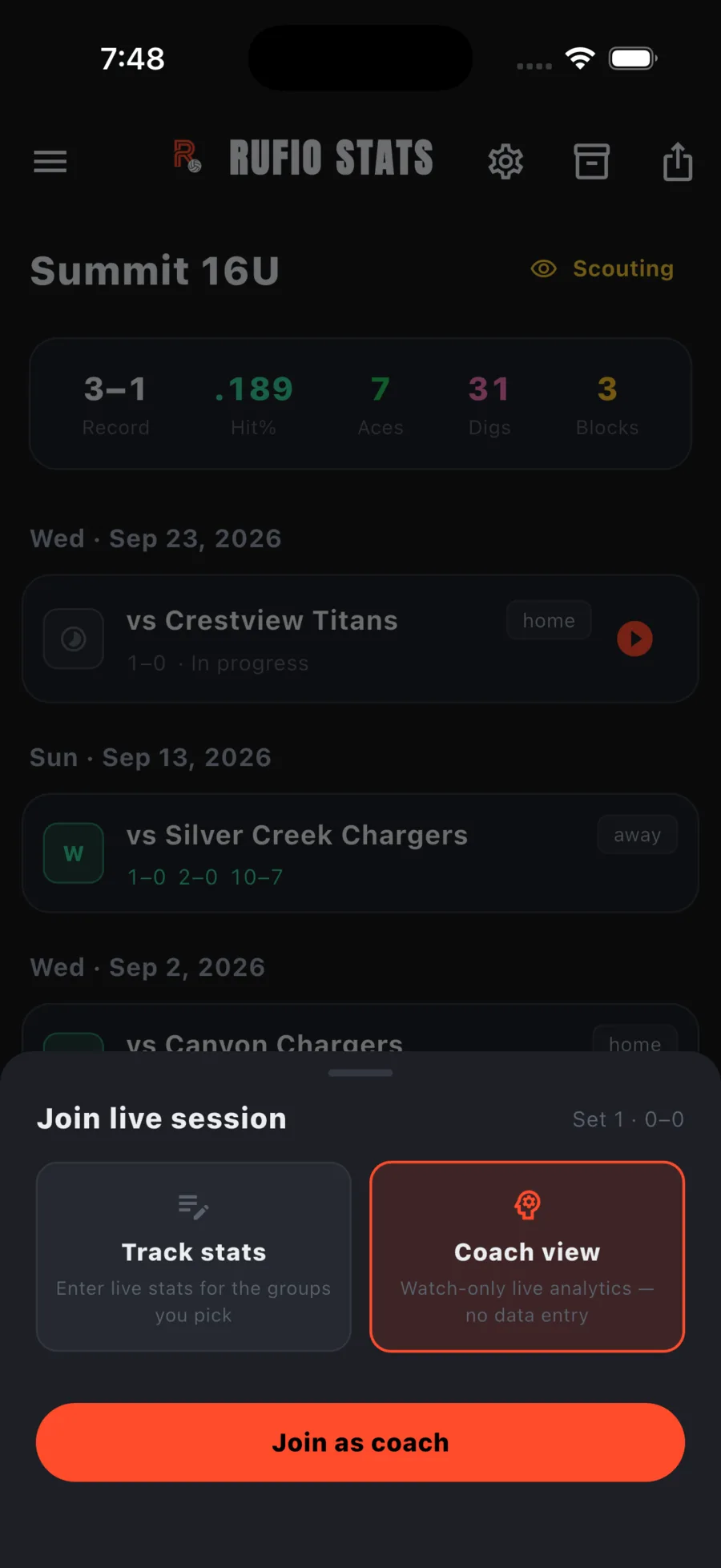
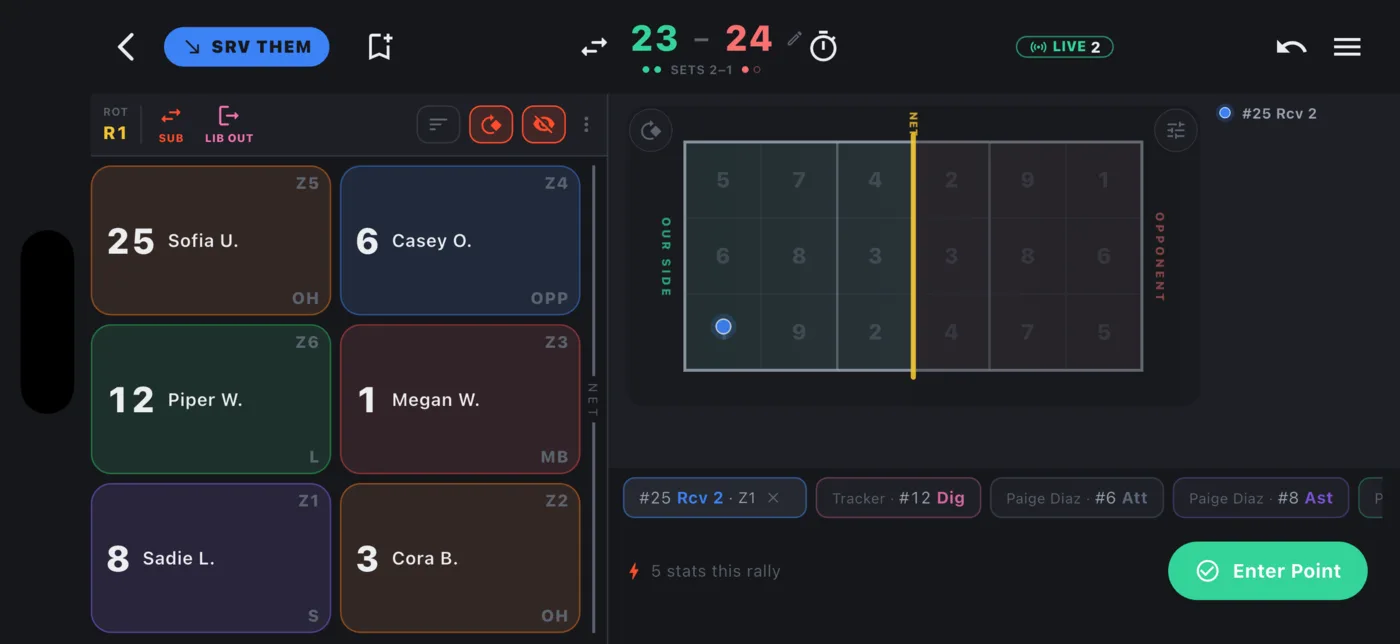
Your live screen then shows only the groups you picked. The scorekeeper controls the score and who is serving; your screen follows along.
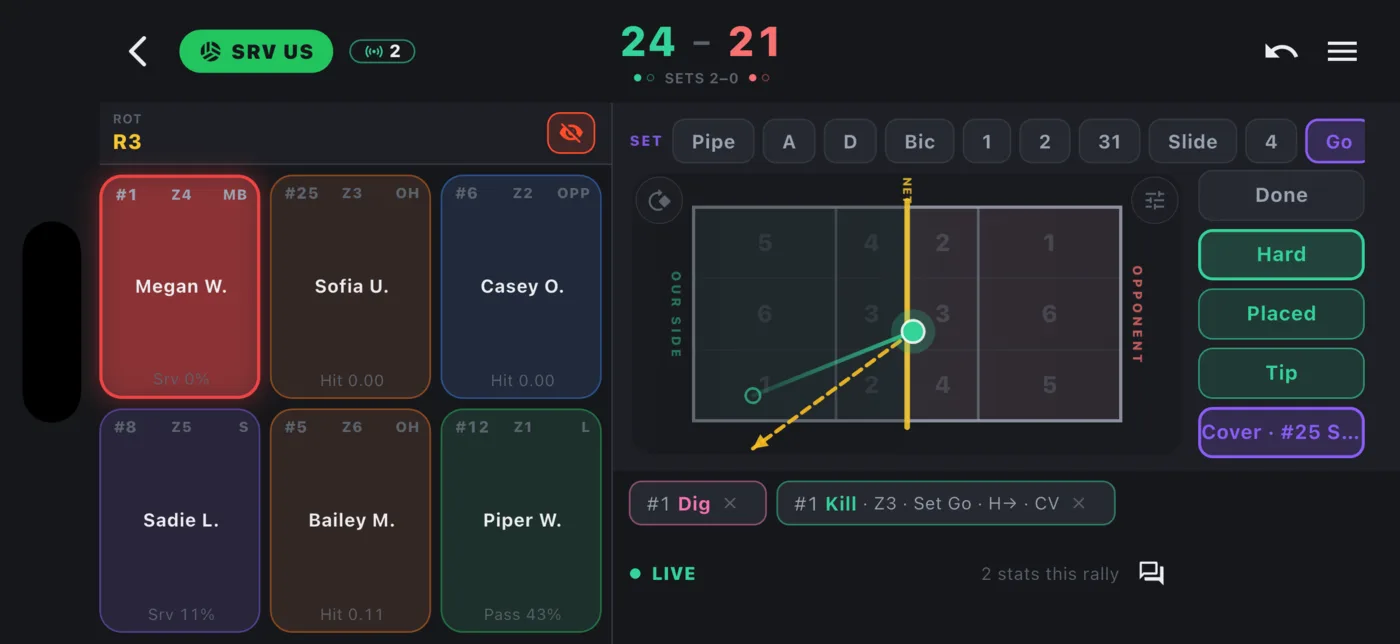
Seeing who is tracking what
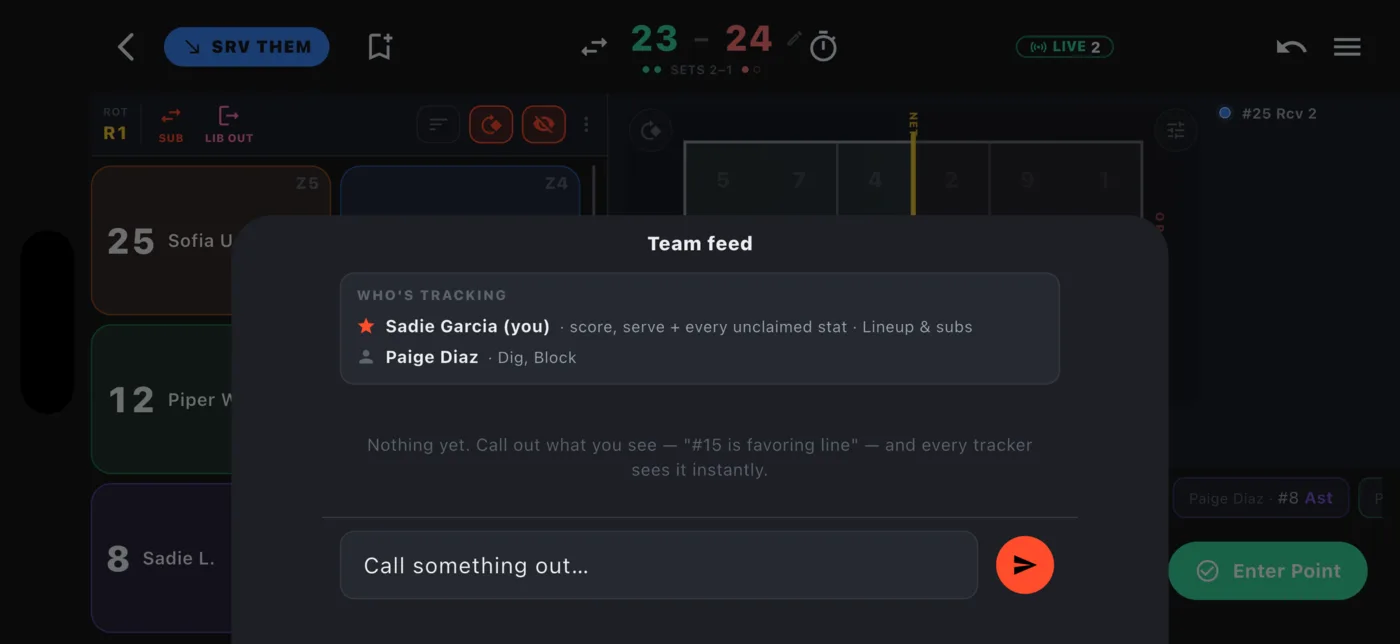
The LIVE chip shows how many trackers are connected. Tap it to open the team feed, which lists everyone and their claims, with a star on the scorekeeper. The feed also lets you call something out to every tracker.
Handing off a stat
If you pick a group someone has claimed, the app asks whether to request a hand-off. They get a prompt on their device: Keep tracking or Hand off. The stat becomes yours the moment they accept. The Owner or Statkeeper can also Take over now without waiting.
Mid-game, change your own assignment from quick settings under Your stat assignment.
Keeping scores in sync
The scorekeeper's device owns the score. Helpers see it update live and cannot change it. If a helper loses the connection and enters points on their own, those show with a * as their own count until they reconnect and the scorekeeper's score takes over again.
Ending a shared session
Any helper can log a timeout, and the same timeout tapped on two devices counts once. Only the scorekeeper ends a set or the session. When they end it for everyone, helpers see that the session ended and can leave. Helpers can leave any time on their own; their stats are already saved.